The Complete Guide to Cat Dad Designs: Crafting with Digital Files for Every Project
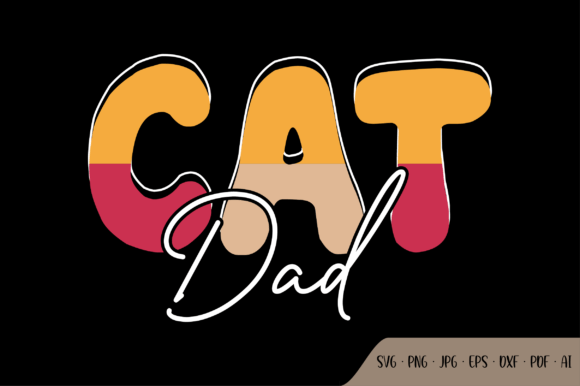
If you're a proud Cat Dad—or you know someone who absolutely owns that title—you've probably noticed how much personality and love goes into celebrating the feline-human bond. From humorous shirts that read "Crazy Cat Dad" to elegant throw pillows featuring cat silhouettes, the Cat Dad aesthetic has become a beloved part of modern pop culture. But what exactly makes these designs so versatile, and how can you bring them to life using high-resolution digital files like EPS, SVG, DXF, PDF, JPG, AI, and PNG? Whether you're a DIY beginner, a small business owner, or a seasoned crafter, this guide will walk you through everything you need to know about using Cat Dad design files for T-shirts, mugs, scrapbooks, pillows, and much more.
We'll explore the cultural significance of the Cat Dad phenomenon, break down each file format so you know exactly when to use which one, and share practical tips to ensure your projects turn out perfectly. By the end, you'll feel confident downloading, customizing, and printing or cutting your own Cat Dad creations.
Why Cat Dad Culture Matters (and Why Designs Sell)
The term "Cat Dad" has evolved far beyond a simple label. It represents a whole community of men who proudly embrace their role as loving, sometimes goofy, caregivers to their feline companions. In an age where pet ownership is skyrocketing and social media celebrates the quirks of cat parenthood, Cat Dad designs have become a powerful way to express identity, humor, and affection.
Think about it: a Cat Dad T-shirt isn't just a piece of clothing—it's a conversation starter, a badge of honor, and a way to connect with other cat lovers. The same goes for a Cat Dad mug, a custom pillow, or even a scrapbook page dedicated to your furry friend. These designs tap into a deep emotional connection, which is why they're so popular for personal use and for gifting.
From a practical standpoint, the versatility of Cat Dad graphics makes them a smart choice for anyone running a small print-on-demand business or selling handmade items on Etsy. Because cats are universally beloved, the audience is huge, and the design possibilities are endless—minimalist line art, bold cartoonish cats, vintage-inspired illustrations, or sleek modern silhouettes.
Understanding the Digital File Formats: Your Toolkit for Success
When you purchase or download a Cat Dad design bundle, you'll often see a list of file types: EPS, SVG, DXF, PDF, JPG, AI, and PNG. If you're new to crafting, this alphabet soup can feel overwhelming. Don't worry—each format serves a specific purpose, and once you understand the differences, you'll know exactly which file to open for your project.
Vector Files (EPS, SVG, DXF, AI) – For Scalability and Cutting
Vector files are resolution-independent, meaning they can be resized to fit a billboard or a tiny sticker without losing clarity. They are built using mathematical paths rather than pixels. Here's a quick breakdown:
- EPS (Encapsulated PostScript) – An older but widely compatible vector format. Great for professional printing and for importing into design software like Adobe Illustrator. If you're sending a Cat Dad design to a commercial printer, EPS is a safe choice.
- SVG (Scalable Vector Graphics) – The go-to format for web use and for cutting machines like Cricut and Silhouette. SVGs are clean, editable, and perfect for creating Cat Dad decals, iron-on transfers, and stencils.
- DXF (Drawing Exchange Format) – Often used for CAD and also supported by many cutting machines. If your software prefers DXF over SVG, you're covered. Great for precise Cat Dad shapes on fabric or vinyl.
- AI (Adobe Illustrator) – The native format for Adobe Illustrator. Ideal for advanced customization—changing colors, adding text, or combining multiple elements. If you're a designer, AI gives you full creative control over your Cat Dad artwork.
Because these are vector files, they come with transparent backgrounds by default (unless otherwise specified). This is crucial for layering designs on T-shirts, mugs, and other surfaces without white boxes around them.
Raster Files (JPG, PNG) – For Printing and Previews
Raster files are made of pixels, so they have a fixed resolution. However, when provided in high resolution (like 300 DPI), they deliver crisp, professional prints.
- JPG (Joint Photographic Experts Group) – A compressed image format. JPGs are great for previews, web use, and for printing on items where a transparent background isn't necessary. However, JPG always has a solid background (usually white).
- PNG (Portable Network Graphics) – The star for DIY projects. PNG supports a transparent background, which means you can place your Cat Dad design over any colored T-shirt, fabric, mug, or paper without a white halo. High-resolution PNG files are perfect for sublimation printing, direct-to-garment (DTG) printing, and scrapbooking.
When a product listing says "high resolution PNG with transparent background," that's your cue that the design is ready to drop into almost any project instantly.
Practical Projects for Cat Dad Designs
Now that you understand the files, let's get hands-on. The beauty of a well-made Cat Dad design is that it works across countless mediums. Here are some of the most popular applications, with tips to help you succeed.
1. T-Shirts and Apparel
This is the classic use case. Whether you're making a shirt for yourself, a gift, or a product line, Cat Dad designs shine on fabric.
- For iron-on transfers or heat transfer vinyl (HTV): Use the SVG or DXF file to cut your design from iron-on vinyl. Weed away the excess, then press it onto a shirt with a heat press or household iron.
- For sublimation: Use the PNG file with a transparent background (mirrored) on polyester fabric or a sublimation blank. This gives a soft, permanent print that won't crack.
- For direct-to-garment (DTG): The PNG or EPS file works well. Just upload it to your DTG printer software.
Pro tip: Always test your Cat Dad design on a scrap piece of fabric first to check sizing and color vibrancy.
2. Mugs and Drinkware
A Cat Dad coffee mug is a simple yet thoughtful gift. You can use sublimation (with PNG) for full-color wraps, or use adhesive vinyl (with SVG) for a more tactile, matte finish.
- For sublimation: Print your PNG design on sublimation paper, tape it to a coated mug, and heat it in a mug press or oven.
- For vinyl: Cut your SVG design, weed it, and apply it to a clean mug using transfer tape. Seal with a dishwasher-safe mod podge if needed.
3. Pillows and Home Decor
Add a touch of feline pride to your living room. Use the SVG to create iron-on transfers for pillow covers, or use the PNG for sublimation on polyester pillow blanks. You can also use the DXF to cut fabric patches that you sew onto a pillow.
The same goes for canvas prints, wall art, or even doormats. A Cat Dad doormat? Yes, that's a thing—and it's adorable.
4. Scrapbooks, Cards, and Paper Crafts
For paper-based projects, both PNG and SVG are your best friends. PNGs with transparent backgrounds can be printed directly onto cardstock, while SVGs can be cut by a die-cutting machine to create layered paper elements.
- Use a Cat Dad PNG to print a full-color topper for a greeting card.
- Use an SVG to cut Cat Dad shapes for scrapbook embellishments, gift tags, or party decorations.
- Combine multiple Cat Dad elements (like a cat face, fish, and text) to build a unique layout every time.
5. Other Creative Projects
Don't stop there. The same files can be used for:
- Stickers and decals (use SVG or PNG with a cutting machine or print-and-cut)
- Tote bags and aprons
- Phone cases (sublimation or printable vinyl)
- Wood signs (use SVG for routing or stencil cutting)
- Jigsaw puzzles (print the JPG or PNG at high resolution on puzzle board)
The versatility of these formats means your Cat Dad design is limited only by your imagination.
Common Misunderstandings (and How to Avoid Pitfalls)
Even seasoned crafters sometimes mix up file formats. Here are a few clarifications to keep your Cat Dad projects smooth:
- Myth: "A JPG has a transparent background." Truth: JPG never supports transparency. If you need a transparent background, always use PNG (or vector formats).
- Myth: "SVG files are only for Cricut." Truth: While SVGs are popular for cutting machines, they can also be opened in design software, web browsers, and even some word processors. They're far more versatile than many realize.
- Myth: "EPS is outdated and useless." Truth: EPS is still widely used in professional printing and can be opened by most vector software. It's not dead—it's specialized.
- Key tip for printing: Always check the DPI (dots per inch) of your raster files. For professional print quality, aim for 300 DPI or higher. The Cat Dad designs described as "high resolution" typically meet this standard.
How to Get Started: A Step-by-Step Workflow
If you're new to using digital Cat Dad files, here's a simple workflow you can follow for almost any project:
- Choose your design. Browse for a Cat Dad bundle that includes all the formats we discussed. Look for high resolution (300 DPI) and transparent PNGs.
- Select your file format. For cutting: SVG or DXF. For printing: PNG (or EPS for professional printers). For editing: AI or EPS.
- Open in the right software. Free options like Inkscape (for vectors) or GIMP (for raster) work well if you don't have Adobe tools.
- Customize if needed. Change colors, resize, add your cat's name, or combine elements.
- Export or save. For cutting, export as SVG. For printing, export as PNG at 300 DPI.
- Transfer to material. Use a cutting machine, heat press, or printer as appropriate.
- Enjoy your creation. Wear it, gift it, or sell it!
Final Thoughts: Embrace the Cat Dad Spirit
Whether you're a Cat Dad yourself or you're designing for one, the combination of heartfelt theme and versatile digital files opens up a world of creative possibility. The key is understanding which file to use for which job—and with EPS, SVG, DXF, PDF, JPG, AI, and PNG at your fingertips, you're equipped for any project.
Remember, the best designs are the ones that bring a smile to someone's face. A Cat Dad T-shirt that gets a laugh at the vet's office, a mug that makes morning coffee feel special, or a scrapbook that celebrates the bond between a man and his cat—these are the projects that truly matter.
If you ever run into trouble—maybe a file doesn't seem to open correctly, or you're unsure about sizing—don't hesitate to reach out. Most designers are happy to help, and the Cat Dad community is incredibly supportive. Now go forth, download your favorite design, and make something wonderful.